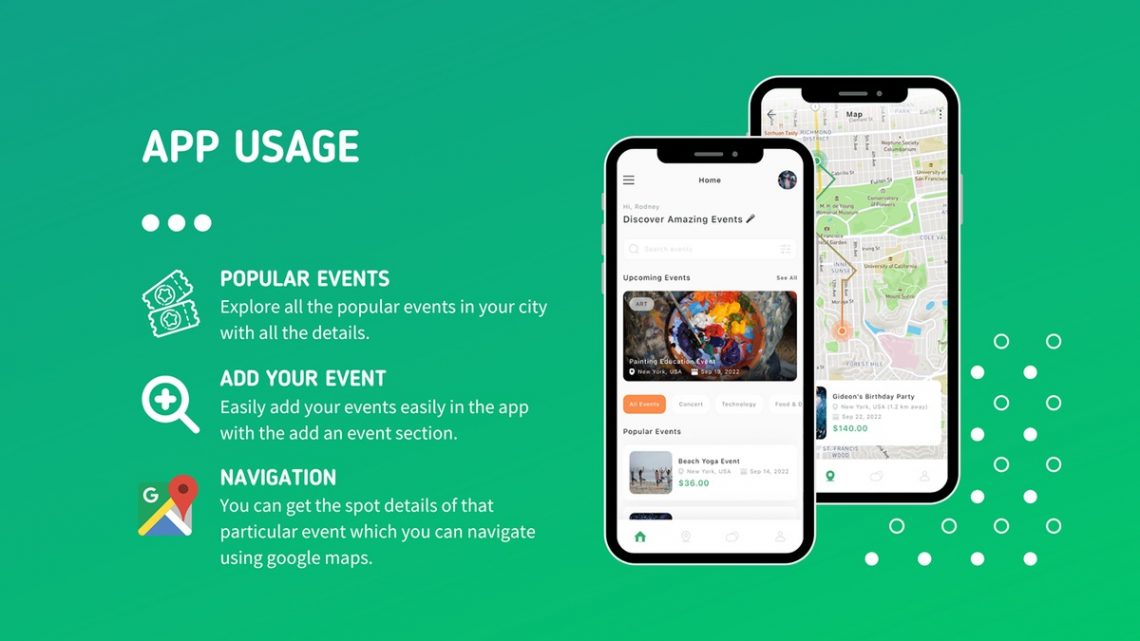
Eventbrite: My Personal Review of The Ultimate Event Platform
Alright, let’s talk about events. Whether you’re someone who loves putting them together, or you’re always on the lookout for the next cool thing happening in your area, chances are you’ve bumped into Eventbrite. For years now, it’s been my go-to, both behind the scenes as an organizer and out in the crowd as an attendee. I’ve seen it evolve, used its features (some successfully, some with a bit of a learning curve), and frankly, it’s become an indispensable tool in my digital arsenal.
I remember when I first started dabbling in organizing small community meetups and workshops. It was a bit chaotic, to say the least. Spreadsheets, manual email lists, cash payments at the door – you name it, I probably did it the hard way. The idea of a centralized platform that could handle ticketing, registrations, and communications felt like a dream. Then a friend mentioned Eventbrite, and after a quick look, I figured, why not give it a shot? That decision truly changed how I approached event planning.
From that moment on, Eventbrite has been a constant in my event life. It’s the platform I recommend without hesitation to anyone who asks me about managing registrations or finding local happenings. It truly bridges the gap between organizers trying to reach their audience and attendees seeking unique experiences.
If you’re curious about how Eventbrite works, what it’s genuinely like to use, and whether it’s the right fit for your event needs, you’ve come to the right place. Let me walk you through my personal journey with this platform.
My Journey as an Event Organizer with Eventbrite
Starting out as an event organizer can feel daunting. There are so many moving parts: picking a date, securing a venue, promoting the event, handling registrations, collecting payments, and then managing everyone on the day itself. My first event using Eventbrite was a small, hands-on photography workshop for about 20 people. I was nervous, but the platform quickly eased a lot of my anxieties.
Setting Up My First Event: Easier Than I Thought
The initial setup process was surprisingly intuitive. I expected a steep learning curve, but Eventbrite’s interface walked me through each step. I logged in, clicked “Create Event,” and was prompted to fill in the basics: event title, date, time, location. Then came the description, which was crucial for conveying the value of my workshop. I could add images, videos, and format the text to make it engaging.
What really impressed me was the flexibility with ticketing. For my photography workshop, I wanted a few options: an early bird discount, a standard ticket, and a slightly higher-priced ‘premium’ ticket that included some extra resources. Eventbrite let me set up each ticket type with different quantities, prices, and even visibility (e.g., the early bird tickets automatically disappeared once they sold out or the deadline passed). It even handled tax calculations, which was a huge relief for someone like me who isn’t a fan of numbers.
Visit Official Eventbrite Website Now
Promoting the Event and Reaching My Audience
Once my event page was live, the next big hurdle was getting the word out. Eventbrite isn’t just a ticketing platform; it’s also a powerful marketing tool. I could easily share my event link directly to social media platforms like Facebook, Twitter, and LinkedIn. Plus, Eventbrite has its own discovery features, meaning people browsing for events in my area could stumble upon my workshop. I found that a significant portion of my early registrations came directly through Eventbrite’s search function, which was fantastic for reaching beyond my immediate network.
Their email marketing integration was another huge plus. I could send out custom emails to registered attendees with updates, reminders, and even pre-event surveys. This kept everyone informed and engaged, reducing the amount of individual queries I had to handle. For my next event, a larger local craft fair, I even used Eventbrite’s promotional codes feature to offer special discounts to previous attendees, which really helped build loyalty.
Payment Processing and Fees: A Necessary Consideration
No platform is entirely free, and Eventbrite does charge fees for paid tickets. This is something every organizer needs to consider. They offer a few different pricing tiers, and for most of my events, I’ve found their Flex plan (their mid-tier option) to be the best fit. The fees are typically a small percentage of the ticket price plus a fixed per-ticket fee. While it’s an expense, I always weigh it against the value it provides: secure payment processing, attendee management, marketing tools, and customer support. For me, the convenience and professionalism Eventbrite brought to my events far outweighed the costs. It eliminated the need for me to manage a separate merchant account and deal with credit card processing, which is a headache I was happy to outsource.
A fellow organizer, Maria R., who runs a series of yoga retreats, shared her perspective: *”I used to struggle so much with payments and managing waitlists for my retreats. Eventbrite just streamlined everything. The fees are there, sure, but the time it saves me and the professional experience it gives my attendees? Totally worth it. I can focus on the content of my retreat, not the logistics of collecting money.”*
On Event Day: Smooth Check-in and Management
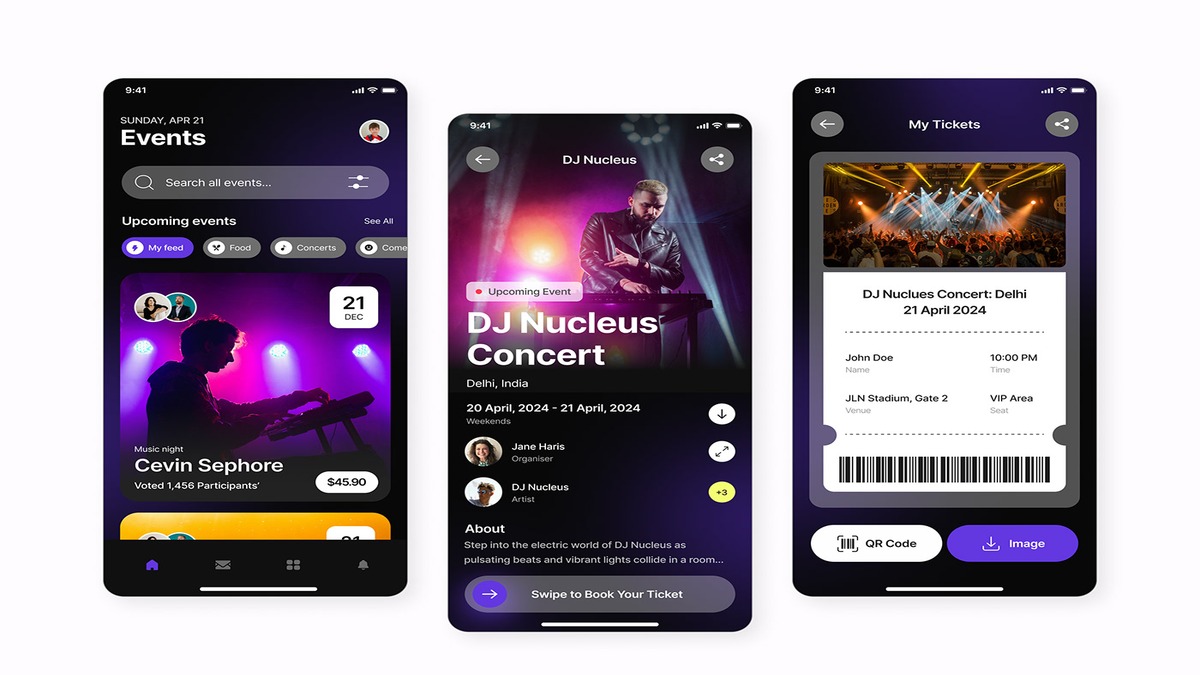
The day of the event used to be a flurry of checking names off printed lists. With Eventbrite, that’s a thing of the past. Their Organizer app (available on mobile) is a lifesaver. I could scan QR codes on tickets right from my phone, instantly checking people in. It provided a real-time count of attendees, allowed me to look up registrations by name, and even sell tickets at the door directly through the app. For my photography workshop, it made the arrival process quick and efficient, leaving me more time to greet participants and set up.
For a larger event I helped coordinate, a community festival, we had multiple entry points and different volunteers handling check-ins. The app synced across all devices, so we always had an accurate overview of who had arrived. This level of coordination would have been impossible without a robust system like Eventbrite.
Post-Event: Analytics and Follow-Up
Once the event was over, Eventbrite didn’t just disappear. The analytics dashboard provides a wealth of information: how many tickets sold, where attendees came from (referral sources), demographic data, and even revenue breakdowns. This data is invaluable for understanding what worked, what didn’t, and how to improve future events. I always dive into these reports to fine-tune my marketing strategies and event offerings.
I could also easily send post-event surveys or thank-you notes to attendees directly through the platform, fostering goodwill and gathering crucial feedback. It felt like a complete lifecycle management tool, not just a ticketing service.
My Experience as an Event Attendee with Eventbrite
It’s not just about organizing; I’m also a pretty active event-goer. From local cooking classes and author readings to larger conferences and music festivals, I’ve probably registered for dozens of events through Eventbrite over the years.
Discovering New Experiences
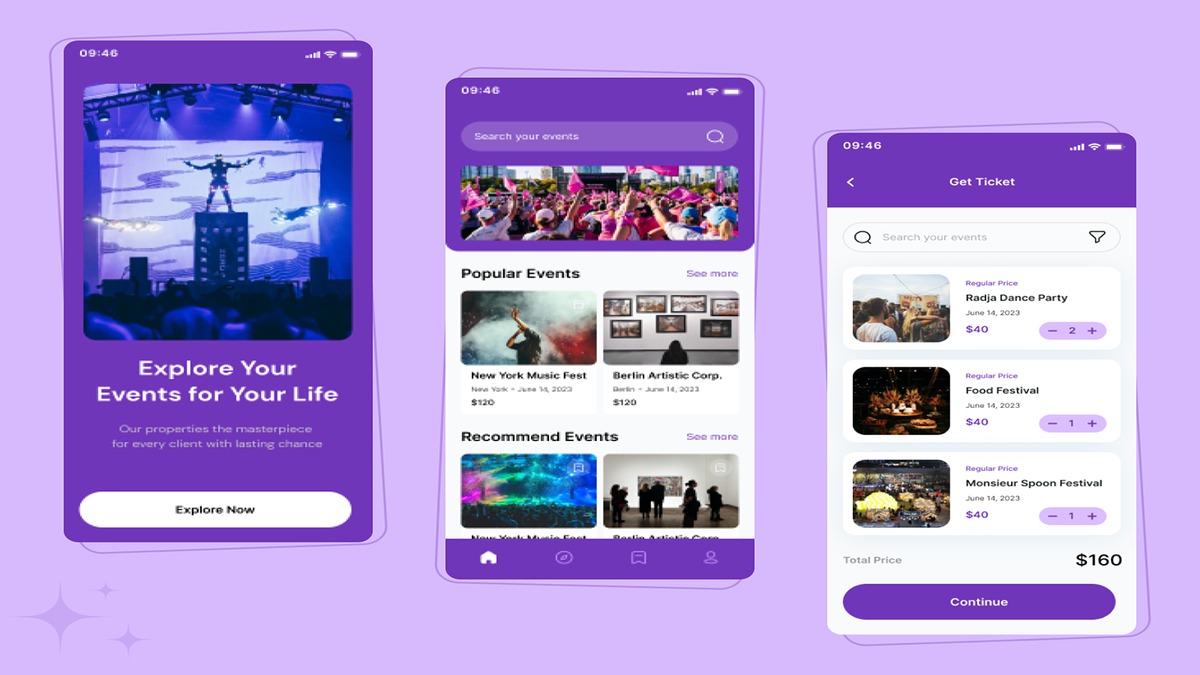
One of my favorite features as an attendee is Eventbrite’s discovery page. I often find myself browsing “events near me” or looking up specific interests. The search filters are excellent, allowing me to narrow down by date, category (e.g., “Food & Drink,” “Music,” “Business”), and even price. It’s how I found a really niche pottery workshop last year that I absolutely loved and probably wouldn’t have discovered otherwise.
The personalized recommendations are also spot on. After attending a few tech meetups, Eventbrite started suggesting similar events, and many of them have been fantastic. It feels like a personalized concierge for local happenings.
Effortless Registration and Ticketing
As an attendee, the registration process is usually seamless. Clicking on an event, selecting my ticket type, filling in my details, and making a payment typically takes just a couple of minutes. The platform integrates with various payment methods, making it convenient. Once registered, my ticket (usually with a QR code) is immediately available in the Eventbrite app and sent to my email.
I love having all my tickets in one place on the app. No more scrambling to find printouts or emails. When I arrive at an event, I just pull up the app, and the QR code is ready to be scanned. It’s incredibly efficient and reduces friction at entry points.
Liam K., a frequent concert-goer, mentioned: *”I pretty much only use Eventbrite for my local indie music scene. The app keeps all my tickets organized, and check-in is a breeze. No more paper tickets getting lost in my wallet, which is a huge win.”*
Staying Informed and Connected
Eventbrite also does a great job of keeping attendees in the loop. I’ve received timely reminders about upcoming events, notifications about schedule changes, or follow-up emails with resources after a workshop. This proactive communication means I rarely miss an event or arrive unprepared. It shows that the organizers are professional and on top of things, which reflects well on them.
What I Love About Eventbrite
After years of using Eventbrite, both personally and professionally, here’s what truly stands out to me:
* **User-Friendly Interface**: This cannot be overstated. From event creation to ticket purchasing, the platform is remarkably intuitive. You don’t need to be a tech wizard to use it effectively.
* **Comprehensive Toolset**: It’s not just for tickets. Eventbrite offers marketing tools, analytics, attendee management, check-in apps, and more. It’s a full-service platform that truly supports the entire event lifecycle.
* **Scalability**: I’ve used it for a 15-person workshop and for events with hundreds of attendees. Eventbrite handles both with ease, making it suitable for a wide range of event sizes and types.
* **Powerful Discovery Engine**: For attendees, the ability to find new and interesting events locally or globally is fantastic. For organizers, it means extra visibility beyond your own marketing efforts.
* **Reliable Support**: On the few occasions I’ve needed help or had a question, their support resources and team have been responsive and helpful.
* **Mobile-First Approach**: Both the organizer and attendee apps are incredibly well-designed and make managing or attending events on the go a seamless experience.
A community organizer, Sarah T., perfectly summed it up: *”Eventbrite has been a game-changer for our local non-profit events. We went from manual sign-ups and endless emails to a super professional system. It saves us so much administrative time, allowing us to focus on our mission.”*
Visit Official Eventbrite Website Now
Areas Where Eventbrite Could Grow
While I’m a big fan, no platform is perfect, and there are a couple of areas where I’ve wished for a little more, or sometimes found a slight challenge:
* **Fee Structure for Smaller Events**: For very small, low-cost paid events, the per-ticket fee can sometimes feel a bit high percentage-wise. While I understand the value, it’s always something I calculate carefully. If your event is free, there are no fees, which is excellent. But for those on a tight budget with paid events, it’s a key consideration.
* **Advanced Customization**: While the basic event page customization is great, for truly complex events with intricate branding needs, I’ve sometimes wished for even deeper customization options without needing to know a lot of code. It’s solid, but there’s always room for more bespoke design for those who need it.
* **Learning All the Features**: Eventbrite is feature-rich, which is great, but it also means there’s a lot to explore. While the basics are easy, unlocking the full power of all its promotional tools, reporting filters, and integrations can take a bit of time and experimentation. It’s not a major hurdle, but something to be aware of if you plan to use every bell and whistle.
Here’s a quote from Mark J., who organizes a monthly book club: *”For our paid special author events, Eventbrite is fantastic. But for our regular free book club meetings, it sometimes feels a bit overkill. We mostly just need RSVP tracking. Still, the community aspect means people find us, so I can’t complain too much.”* This highlights the balance – even when it feels “overkill,” the benefits often outweigh the minor considerations.
Who Is Eventbrite For?
In my experience, Eventbrite is incredibly versatile. It’s perfect for:
* **Small business owners and entrepreneurs**: Running workshops, seminars, product launches, or networking events.
* **Artists and creatives**: Managing ticket sales for performances, art classes, studio tours, or exhibitions.
* **Community groups and non-profits**: Organizing fundraisers, charity walks, volunteer sign-ups, or local gatherings.
* **Educational institutions**: Handling registrations for lectures, courses, alumni events, or conferences.
* **Individuals**: Hosting private parties (if you need RSVPs), special celebrations, or even garage sales if you want to control attendance.
* **Large organizations**: Managing registrations for major conferences, festivals, or trade shows.
Essentially, if you need to manage people signing up for *anything*, whether it’s free or paid, big or small, in-person or online, Eventbrite has the tools to make it happen smoothly.
Tips for Getting the Most Out of Eventbrite
Based on my years of using Eventbrite, here are a few pointers to maximize your success:
1. **Start Early**: Give yourself ample time to set up your event page, write compelling descriptions, and upload eye-catching images.
2. **Leverage Promotional Tools**: Don’t just set it and forget it! Utilize Eventbrite’s sharing features, create promotional codes, and consider integrating with their email marketing for consistent communication.
3. **Optimize for Discovery**: Use relevant keywords in your event title and description so people searching on Eventbrite can easily find you. Categorize your event accurately.
4. **Use the Mobile App**: For organizers, the Eventbrite Organizer app is a must-have for seamless check-ins and on-the-day management. For attendees, the main Eventbrite app keeps all your tickets organized.
5. **Analyze Your Data**: After each event, dig into the analytics. What worked? Where did attendees come from? Use these insights to refine your strategy for the next one.
6. **Engage Your Audience**: Send out pre-event reminders, post-event thank yous, and gather feedback. A well-informed and appreciated audience is more likely to return.
My Final Thoughts
So, would I recommend Eventbrite? Absolutely, without a shadow of a doubt. It has consistently delivered a robust, user-friendly, and effective platform for all my event needs, both as an organizer and as an attendee. It takes a lot of the logistical burden off your shoulders, allowing you to focus on creating an incredible experience for your participants.
If you’re on the fence, or if you’re still wrestling with spreadsheets and manual sign-ups, do yourself a favor and explore what Eventbrite has to offer. It’s genuinely a platform that makes event management and discovery not just easier, but also much more enjoyable. It’s been a significant asset in my own endeavors, and I’m confident it can be for yours too.
Ready to simplify your event planning or discover your next adventure?


You May Also Like

My Deep Dive into Lab Series Skincare: Is It the Ultimate Upgrade for Men?

Stepping into the Clouds: My Deep Dive into Hoka Running Shoes